|
|
|
|
|
|
|
|
Click the ASR Status tab.
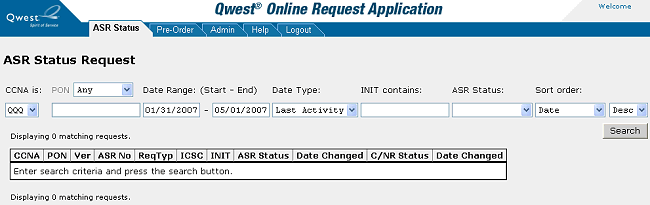
On the ASR Status Request screen, specify criteria to limit the information returned on the ASR search.
You must select a CCNA Customer Carrier Name Abbreviation .
To view requests for specific PON Purchase Order Number text, select a PON choice from the PON drop-down menu (Any, Equals, or Contains) and enter part or all of the PON depending on the choice selected in the drop-down menu. For example, to display all requests with PONs containing the letters ELM, select Contains in the drop-down menu and enter ELM in the PON field.
To view requests for a specific time frame, enter start and end dates in the Date Range fields.
To view requests submitted by a specific initiator, enter the initiator's name or partial name in the INIT Initiator contains field.
To view requests by a specific status, select the status in the ASR Status drop-down menu.
By default, QORA™ lists the requests in descending order by date. To change the sort order, select the sort order you want from the Sort order drop-down menu and select either Desc (descending) or Asc (ascending).
Click Search. QORA™ lists the requests that match your search criteria.
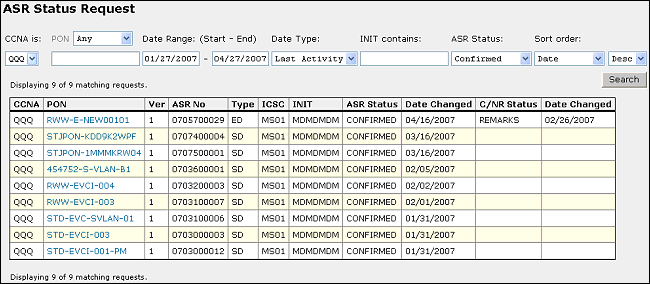
To view ASR Access Service Request summary results for a specific ASR, click on the PON Purchase Order Number of the ASR you want to view.
To learn more about ASR summary results, see Viewing ASR Status Summary.
