
Do one of the following:
To validate the address from the SALI form, click the by circuit id link.

To validate the address from the Pre-Order tab, click the Address Validation by Circuit ID tab.
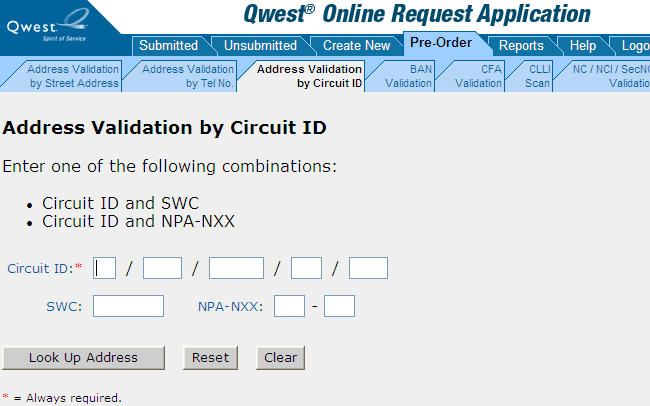
Fill in the circuit ID corresponding to the address you want to validate. If your browser prompts you to save the values you typed, do not do so.
Fill in either a SWC or NPA-NXX combination.
Click Look Up Address. (Or you can reset or clear the form if needed and start over. See Resetting or Clearing a Pre-Order Form.)
|
If QORA™ finds... |
Do the following... |
|
An exact match |
Copy the valid address or click Enter Address on SALI to enter the address and return to the SALI form. (Remember to select the appropriate AFT .) |
|
Two or more matches |
Click one of the black triangles in the leftmost column to select that address for validation by street address. When QORA™ displays an exact match, copy the valid address or click Enter Address on SALI to enter the address and return to the SALI form. (Remember to select the appropriate AFT .) |
|
No matching address |
Verify you have entered the circuit ID exactly. The circuit ID must match exactly or no results will be found. If you have not already done so, try validating by street address or telephone number. |