
Connect Your Fiber Service with SmartNID
How to connect your SmartNID fiber service
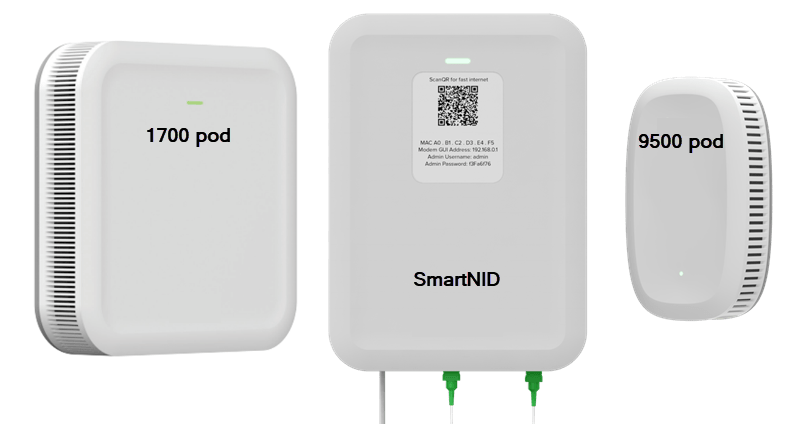
1. Set up your account and network
Once you’ve signed up for your service, create your CenturyLink account.

Now you can create a custom network name and password.
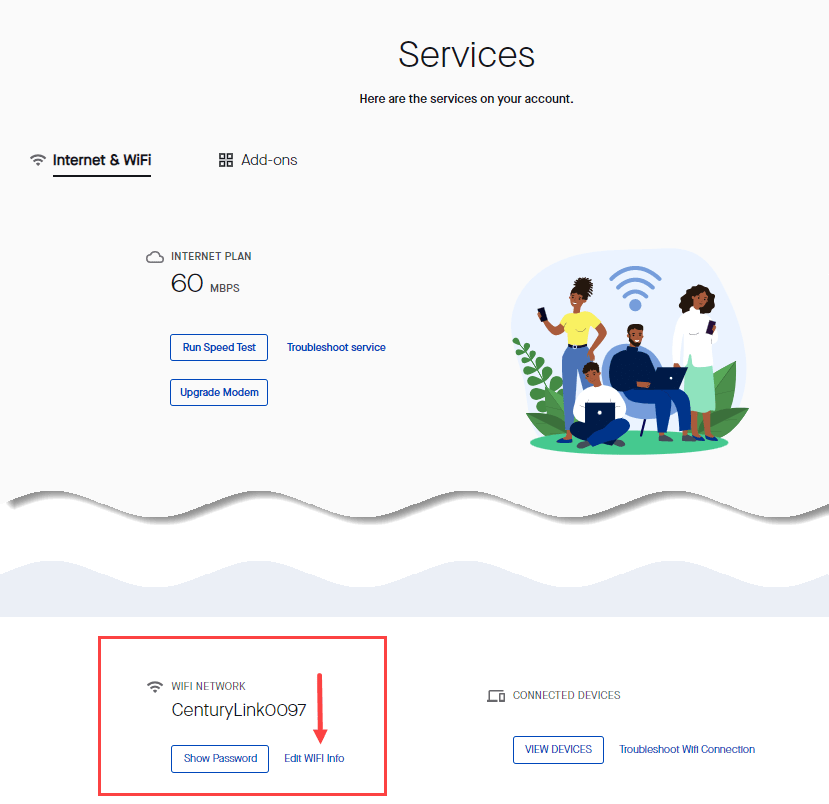
- Click on Services.
- Scroll down to find WiFi Networks.
- Click to Edit WiFi Info.
- Enter a custom network name and secure password.
2. Connect devices
After you’ve moved in, your service will be active and ready to connect! Find your network on your devices' WiFi networks list and enter the password you created.
Video: Connect fiber with SmartNID
Fiber Service Topics



©2026 CenturyLink. All Rights Reserved.