Preorder Tab—New ASR (Continued)
Once a new ASR preorder is initiated by clicking the Initiate button, one of three screens displays as follows:
- The LOCATION_INQUIRY screen displays when doing a preorder on an CenturyLink address.
- The CFA_INQUIRY screen displays when doing a preorder on a CFA.
- The CLLI_SCAN_INQUIRY screen displays when doing a preorder on a CLLI.
- The ETHERNET_INQUIRY screen displays when performing a preorder on Switched Ethernet Services for a RUID or EVC.
Exhibit 5.3.1—LOCATION_INQUIRY Screen
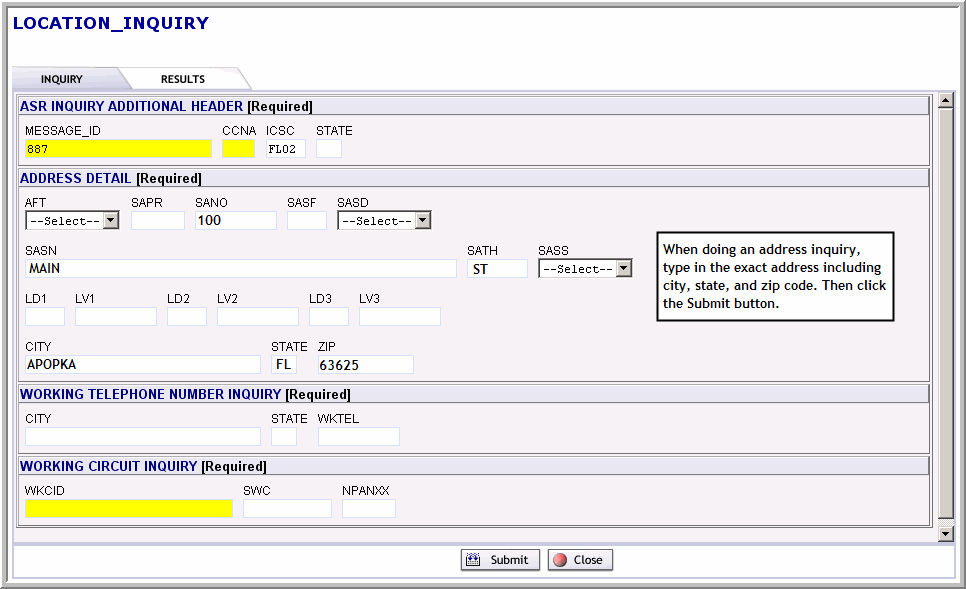
 Click the Simulation button to practice initiating a new ASR preorder on an CenturyLink address.
Exhibit 5.3.2—CFA_INQUIRY Screen
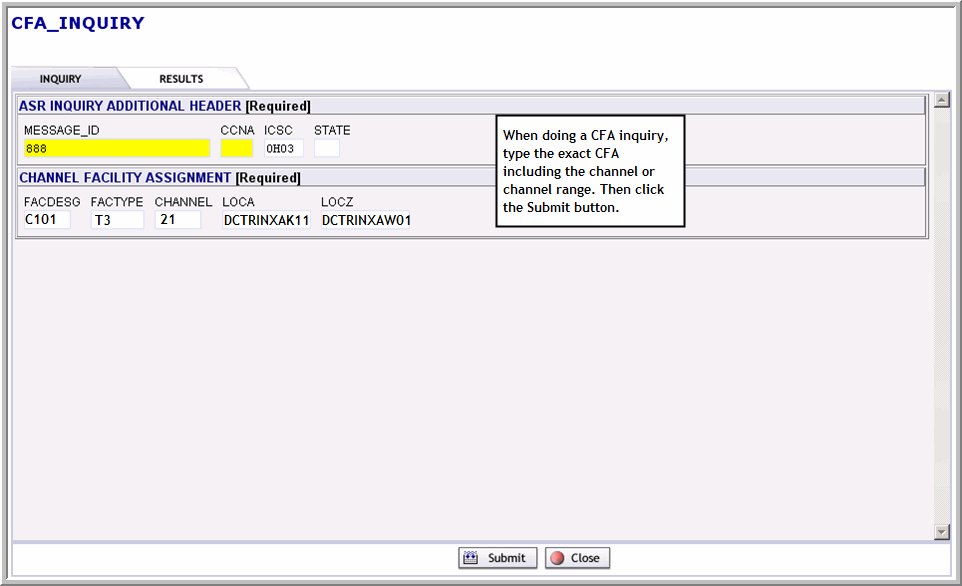
 Note: You can also preorder on a range of channels in the CFA—for example, 1-28. When this happens, the results show you all channel availability.
 Click the Document button to access a printable document containing the steps for iniating a new ASR preorder on an CenturyLink address or CFA.
Click the Simulation button to practice initiating an ASR CFA preorder from the Preorder tab.
Exhibit 5.3.3—CLLI_SCAN_INQUIRY Screen
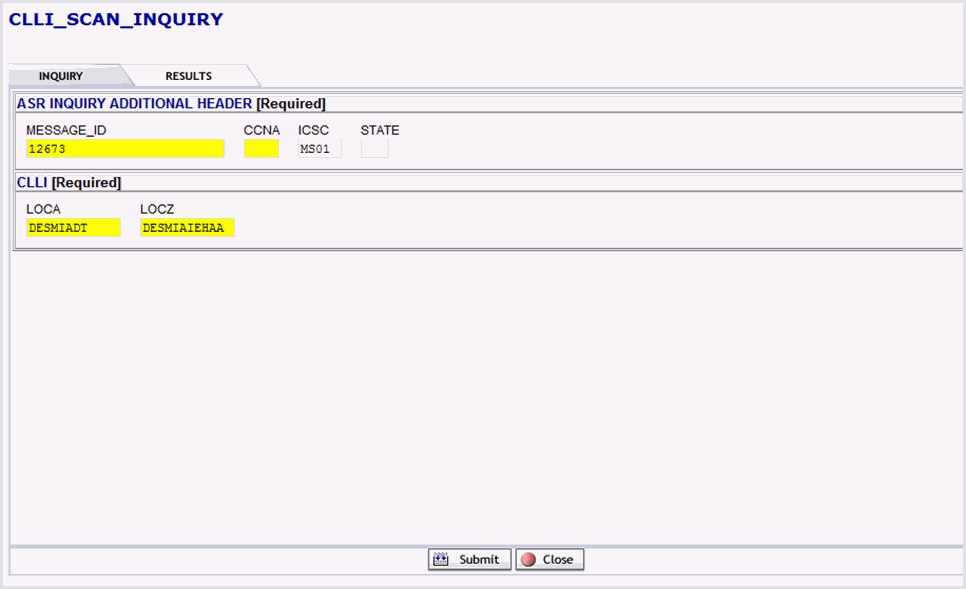
Exhibit 5.3.4—ETHERNET_INQUIRY Screen
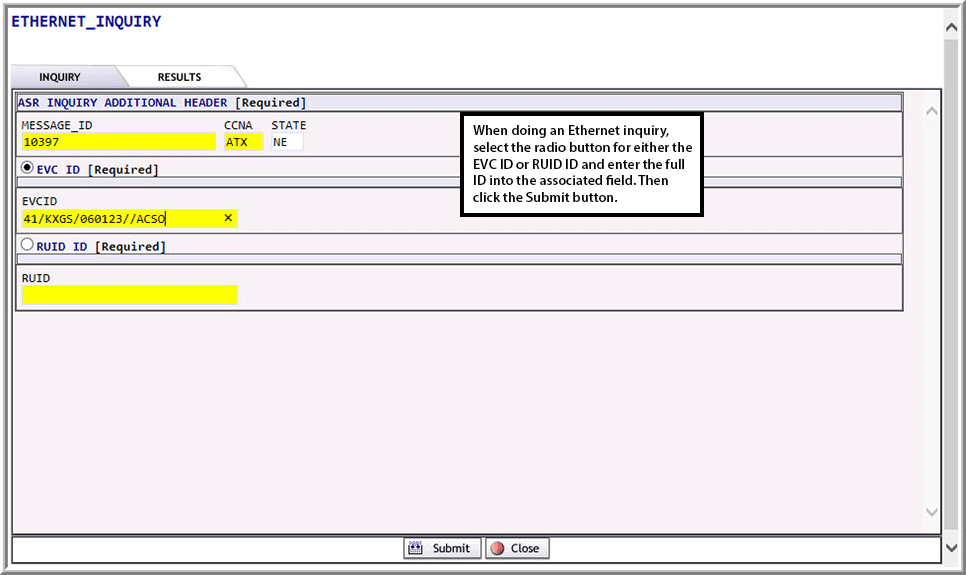
Click the Simulation button to practice initiating a new ETHERNET_INQUIRY from the Preorder tab.