
You can revise requests that have been rejected because of errors.
Click the Submitted tab.
Sort and filter the listed requests as desired (see Searching For a Request).
Click the PON of the rejected request that you want to revise.
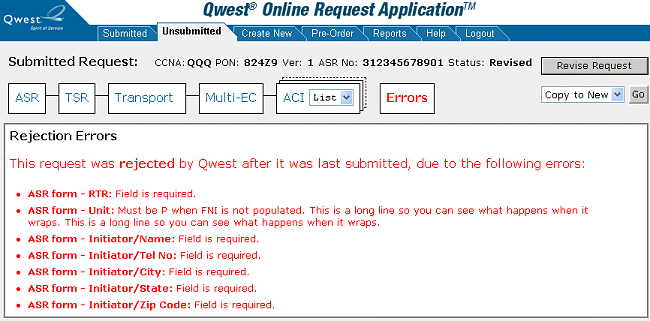
Click Revise Request. The request opens in editing mode and QORA™ moves it from the Submitted area to the Unsubmitted area with the appropriate status. You can either leave the request in unsubmitted status and edit it later (see Editing a Request) or correct any errors and resubmit it (see Submitting a Request).