
Check for an outage
If your service is down, one cause could be an area outage. Here are the ways to check.
Sign in to check for an outage
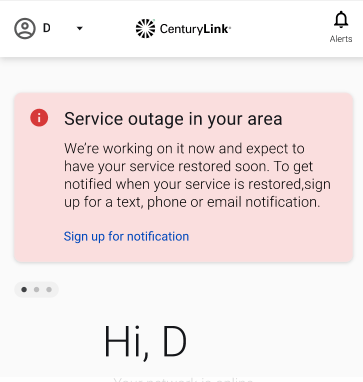
Sign in to My CenturyLink on your phone or other device with mobile data. You'll see an alert if you're impacted by an outage. You can sign up for notifications from there to get real-time outage status updates.
What happens if I'm in an outage?
You can sign up for notifications through My CenturyLink to get up-to-date info about the outage. We'll let you know when we expect to have it fixed, and will confirm once it's resolved and your service is back up.
Rest assured, our technicians are working hard to get all services back up and running as soon as possible. You don't need to request a repair if you confirm that you're in an area outage.
Important: Always reboot your modem after an outage.
Fiber Topics
-
Manage account -
Move and cancel -
Appointments -
Troubleshooting -
Outages

Pay and manage your account
Was this information helpful?