We no longer support this browser. For an optimal experience, we recommend updating your browser.

How to set up CenturyLink email in Windows
Follow these step-by-step instructions to set up your CenturyLink email on a computer with a Windows operating system.
Do you need to create a new email account? Learn how to get a CenturyLink email address.
Set up email on a PC
NOTE: Email setup can vary by operating system. The steps on this page are general. If you have trouble, refer to the instructions for your specific operating system.
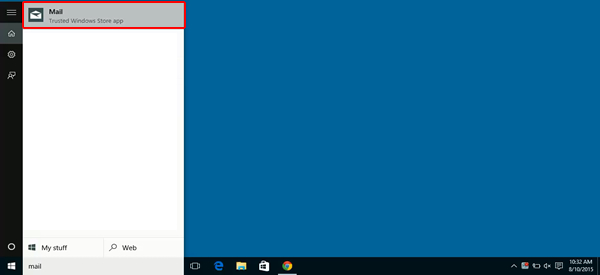
1. Type Mail in the search.

2. Select the Mail app.
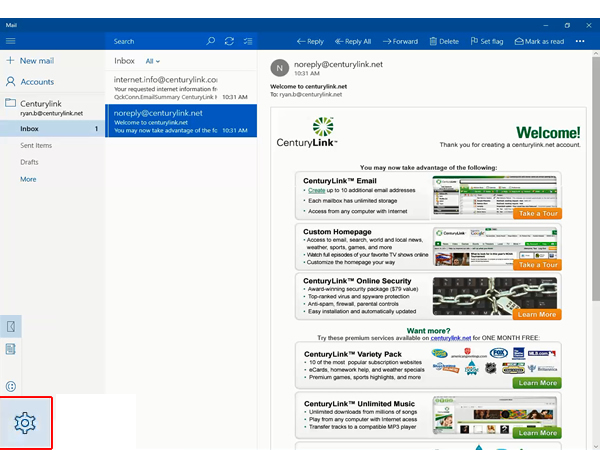
3. Select the gear icon.
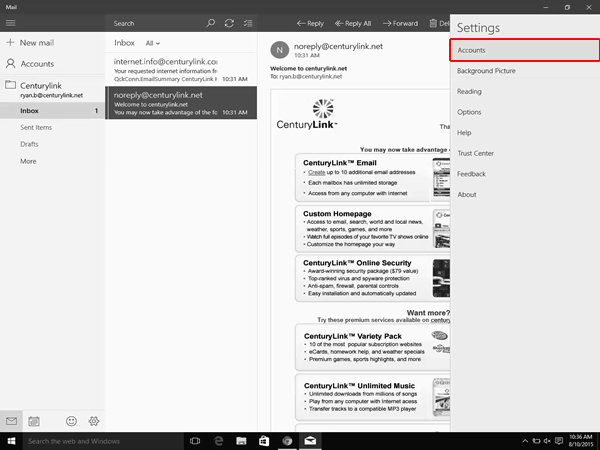
4. Select Manage Accounts.
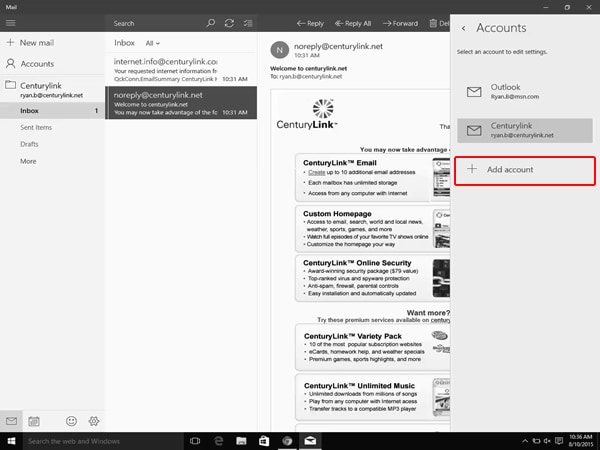
5. Select Add account.
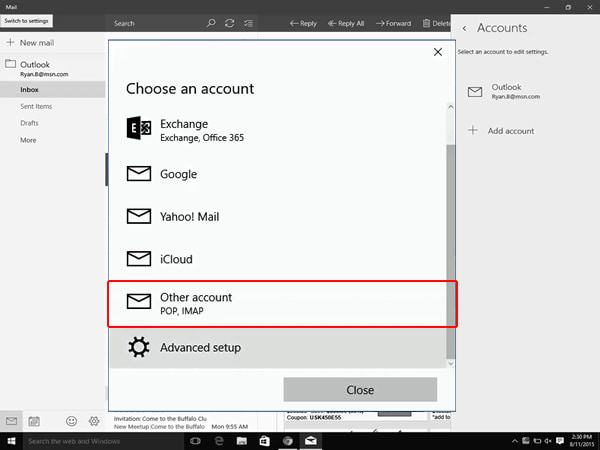
6. Select Other account.
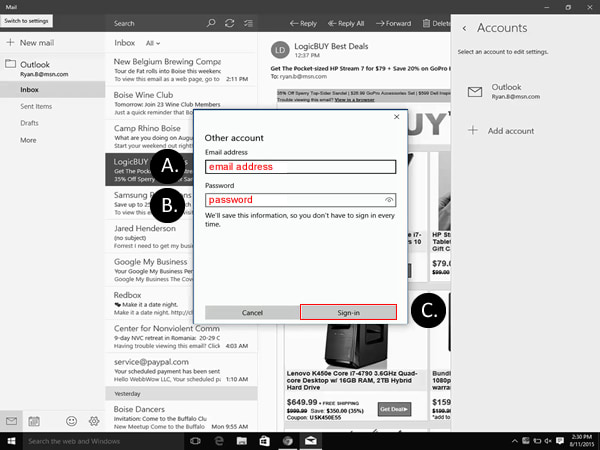
7. Enter your CenturyLink email address and password, and then select Sign-in.
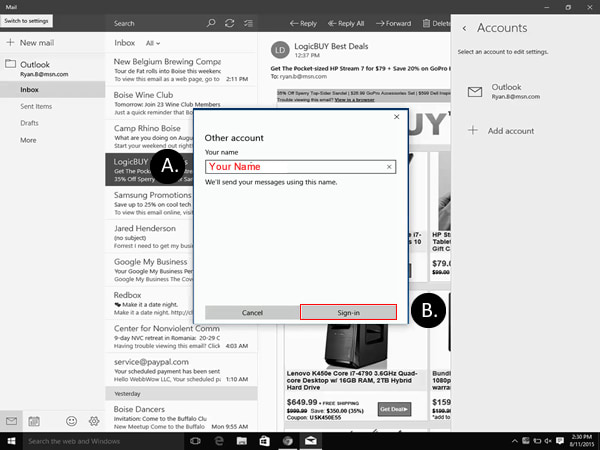
8. Enter your name and select Sign-In. Windows Mail will try to configure your email settings automatically. If your Inbox says "still working on it" for more than 3 minutes you need to edit your settings.
Q.com to MyCTL.net

Check email, browse news, and more.
Keep your CenturyLink email active
CenturyLink email accounts that are unused for a year are deactivated and all contents deleted.
To keep your CenturyLink email active, be sure to sign in at least once a year.

Visit our dedicated CenturyLink email support site.
Top Tools


.png)
Was this information helpful?
Support topics



About Lumen | About CenturyLink | Careers | Investor Relations | Newsroom | Legal | Privacy Notice | Tariffs | Customers with Disabilities | Site Map | Cookie Settings | CenturyLink in Your Area | CenturyLink.net | Quantum Fiber in Your Area | White/Yellow Pages | Centurylink Retailer
Residential | Small Business | Enterprise | ©2025 CenturyLink. All Rights Reserved.