We no longer support this browser. For an optimal experience, we recommend updating your browser.

CenturyLink fiber SmartNIDs
CenturyLink uses three models of SmartNID to deliver fiber internet service to your home or business:
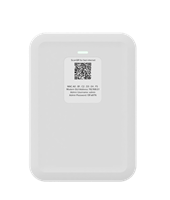
SmartNID notes
The SmartNID (Smart Network Interface Device) is more than a modem. It combines the functions of a modem and fiber network terminal into one powerful device.
- Due to its unique function, the SmartNID will be permanently mounted on the wall inside your home or small business. Please do not attempt to remove it.
- This device is designed to pair with WiFi pods to deliver Premium WiFi, a distributed WiFi service.
The C5500XK SmartNID is tested and certified to run at these speeds* on the CenturyLink® Fiber Internet network:
| Technology Type | Tested speed |
| Fiber | up to 940 Mbps |
*Customer speed experiences will vary, particularly when accessing the internet wirelessly from different devices. Maximum download/upload speeds given are via a wired connection. Internet speeds are not guaranteed due to conditions outside of network control, including customer location, devices, equipment, and access over a wired or wireless connection; see centurylink.com/internetpolicy for more information.
The C6500XK SmartNID is tested and certified to run at speeds up to 8 Gbps on the CenturyLink network.
Note: Speeds reflect the maximum download speed the technology can deliver with CenturyLink service. In-home speeds may differ based on router setup, devices and other factors.
The Q1000K SmartNID is tested and certified to run at speeds up to 10 Gbps on the CenturyLink network.
Note: Speeds reflect the maximum download speed the technology can deliver with CenturyLink service. In-home speeds may differ based on router setup, devices and other factors.
Professional installation
A CenturyLink technician will install the SmartNID in your property by attaching it to the wall and connecting it to our fiber-optic network. With a standard modem or gateway, you would lease or purchase the device from us, but the SmartNID is different. As a network terminal, it remains the property of CenturyLink and will not be removed if you move or cancel your service.
SmartNID status light guide
The status light on the front of your SmartNID tells you about the connection. The light will be solid green most of the time, indicating that it's online and connected to our fiber network. During initial bootup or in the case of a connection error or special scenario, it may be a different color, according to the table below.
| Light color | Description |
| Red | Hardware test during boot-up. |
| Blinking red | Failed hardware test or service failure (rare). Contact us for help |
| Blinking blue | Syncing with the network. If this continues more than 10 minutes, contact us for help. |
| Blue | Network sync complete and SmartNID is ready for use. |
| Amber | Account action required to enable access (rare). Please sign in to your account and check the message center. |
| Green | Connected with full internet access. |
| White | Transparent bridge mode (rare; manual setting for advanced user). |
| Off | Power is out or device is unplugged. |
Chat with us or help with SmartNID connection issues.
Instant Fiber
Top Tools


.png)


Browse news, entertainment, weather, and more.
Was this information helpful?
Support topics



About Lumen | About CenturyLink | Careers | Investor Relations | Newsroom | Legal | Privacy Notice | Tariffs | Customers with Disabilities | Site Map | Cookie Settings | CenturyLink in Your Area | CenturyLink.net | Quantum Fiber in Your Area | White/Yellow Pages | Centurylink Retailer
Residential | Small Business | Enterprise | ©2025 CenturyLink. All Rights Reserved.